
Overview
FotZIP is a lightweight, single-file ZIP utility designed for creating and extracting ZIP archives quickly and securely.
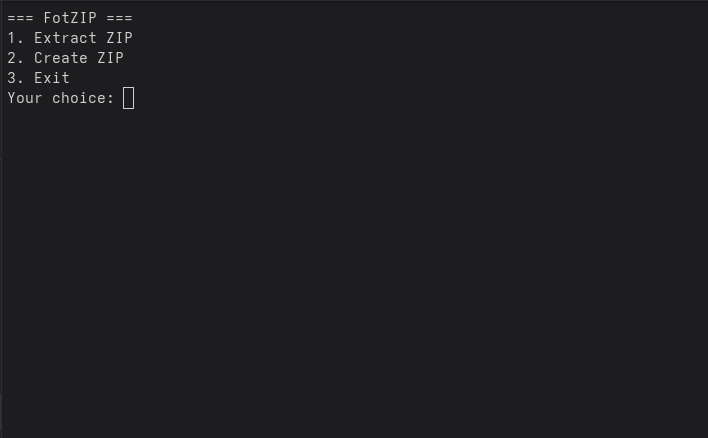
Currently, the application runs command-line only (CLI). A GUI version will be added in future releases.
Features
- Create and extract ZIP archives.
- Cross-platform support: Linux, Windows, macOS.
- GPG detached signature support for verifying authenticity.
- Easy to use via terminal or command prompt.
Security & Verification
Each release is signed with a GPG detached signature to ensure integrity and authenticity.
Verifying the Build
- Import the public key:
gpg --import fotzip_public_key.asc
- Verify the detached signature:
gpg --verify FotZIP.sig FotZIP
- If the output shows
Good signatureand the correct key ID (4419366131D22C571C21204E23EE58A626C1A820), the file is authentic. - If the file has been tampered with or the signature does not match →
bad signaturewill be shown.
Setup
Linux / macOS
chmod +x FotZIP
./FotZIP [options]
Windows
- Place the
FotZIP.exefile in a folder. - Run via Command Prompt:
FotZIP.exe [options]
Usage
Basic examples:
- Create a ZIP archive:
- Run the program:
./FotZIP
- In the menu, select 2. Create ZIP.
- Then, the program will ask for:
- Folder path to ZIP → The folder you want to compress
- Output ZIP file path → The path for the new ZIP file
- Extract a ZIP archive:
- Run the program:
./FotZIP
- In the menu, select 1. Extract ZIP.
- Then, the program will ask for:
- ZIP file path → The ZIP archive you want to extract
- Extraction folder → The folder where files will be extracted
- Exit the program:
- Run the program:
./FotZIP
- In the menu, select 3. Exit to quit the program.
Known Issues
- ZIP64 archives may trigger warnings in edge cases.
- GUI version not yet implemented; CLI only.
- Platform-specific issues may occur.
Future Plans
- GUI interface for all platforms.
- Improved ZIP64 support and advanced compression options.
- Automated builds for Windows, Linux, and macOS.
License
FotZIP is released under GNU GPL v3. See the LICENSE file for details.
 English
  Türkçe